
8.5.2 Study Treatment Arms |
The Study Treatment Arm section allows the study team user to define the treatment arms for the study. When a patient is linked to a study, a treatment arm for the patient can be specified.
To manage treatment arms:
1. From the Study Treatment Arm section click Add New.

The Study Treatment Arm window displays:
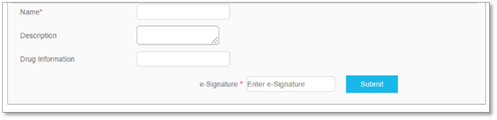
2. In the Name field, enter a name for the treatment arm. In the Description field, enter a description of the treatment arm being created. Fields marked with an asterisk are required.
3. To save changes, enter your e-Signature and click Submit to confirm.

|
|