
10.3.2 Manage Milestone Notifications |
Notifications are configured through the Notifications tab of the Financial Summary page. The Notifications page will display all milestones created from the Manage Budget, Manage Milestones, and Study Milestone pages and can be used to notify any associated user(s) when a financial achievement is generated by that milestone. This section will cover how to configure notifications when a milestone has been achieved. Milestones are described in further detail in Milestones.
|
Note:
|
Milestone rules must be configured prior to configuring any milestone achievement notifications.
|
To setup achieved milestone notifications:
1. From the Financial Summary page, select the Notifications tab.
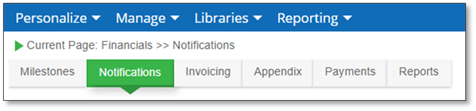
The Notifications page displays.
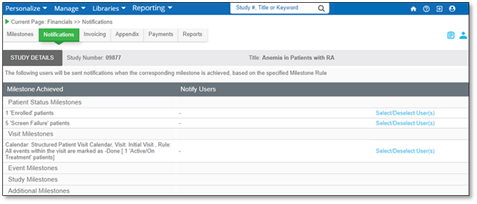
2. Locate the milestone that you’d like to configure for notifications and click Select/Deselect User(s).

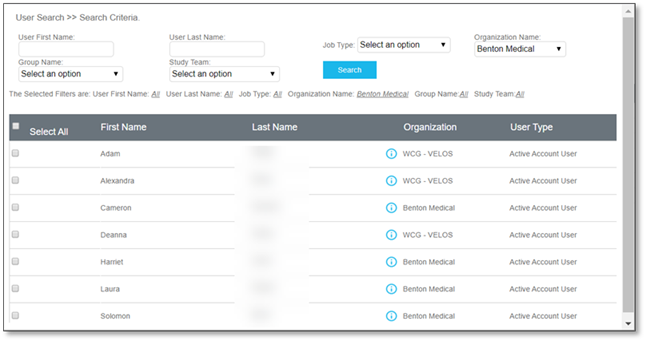
3. The User Search window will display. Select the appropriate user by clicking the corresponding checkboxes.
4. Click Submit to confirm.
|
Note:
|
Users designated for a milestone notification will only receive a notification when that milestone has been achieved.
|
|
|