
11.3.1 Search Results Panel |
The Dashboard tool allows permissioned users to access Form Responses, Adverse Events, and Patient Study Status information by study. Before reviewing any data, however, one must first perform a study search.
To perform a dashboard study search:
1. Locate the “New Search” panel in the lower left corner of the screen.
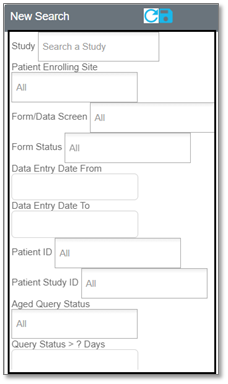
2. Enter your search criteria in the Study field. A partial search will display results as well.
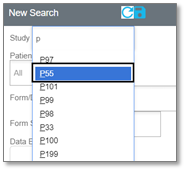
3. When the study you are searching for appears in the drop-down menu, click that option.
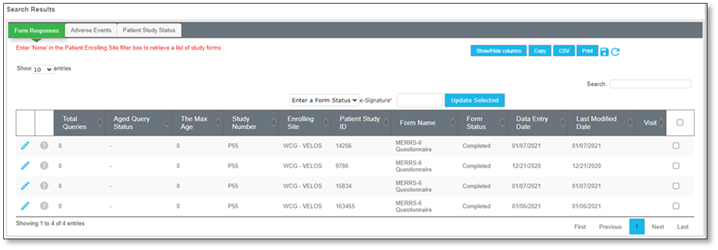
After selecting your study, all form response, adverse event, and patient study status items will display (if available) in the search results panel, under each respective tab.
See the following sections to learn how to access and review data entries from each functional area of the Dashboard tool: