
5.1 My Profile |
The My Profile page provides a means to change basic account information such as an address, phone number, email address, and research involvement details. This information can be changed at any time from this screen, requiring only a valid e-Signature.
|
Note:
|
To ensure access rights are granted appropriately in eResearch, it is not recommended to make changes to "My Profile", unless instructed by your system administrator.
|
|
Warning:
|
Adding a Specialty on My Profile will prevent users from seeing patients and studies.
|
To change details on the My Profile screen:
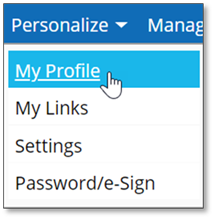
1. Click the Personalize menu in the upper-left hand corner of the screen and select My Profile.
The My Profile page displays:
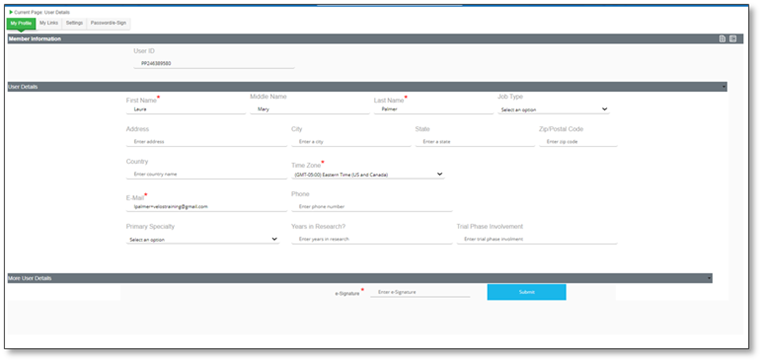
2. Add or enter information as needed.
|
Note:
|
A red asterisk denotes a mandatory field.
|
3. Enter your e-Signature (see the System Access section for information about obtaining your initial e-Signature from your Welcome email) in the field at the bottom of the page and click Submit to confirm.

|
|