
9.6 Manage an Existing Patient |
This section will explain how to Manage an Existing Patient the default system homepage. Managing an Existing Patient includes the functionalities associated with Patient Demographics, Screening/Enrollment, and Modifying information of Enrolled Patients.
To manage an Existing Patient:
1. From the Patient Search page, users may search for a specific patient using the search filters or may view all patients by leaving filters blank and clicking Search.

2. Patients that meet the search criteria will display on the screen below. A Patient Overview will be available. To view Enrolled Study Patients, click the Enrolled tab. Click the Patient Study ID link for the desired patient to examine.
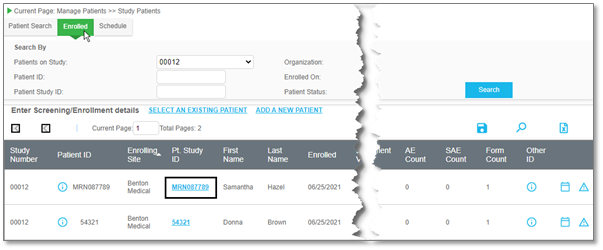
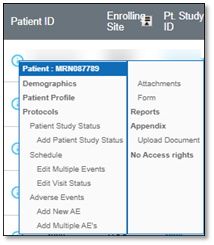
a. Or, first right click on the i in a Patient ID column, while on the Enrolled tab, to view a quick access panel, and then click Protocols or a different desired page, as needed.
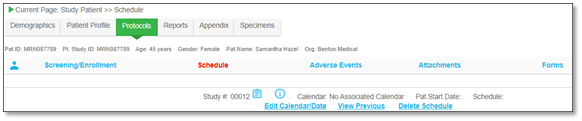
The Patient Protocols page displays for the selected patient.
|
|