
10.2.2.2 Add Milestones
This section will instruct users on how to add a milestone.
|
Note:
|
It is possible to make modifications or add milestones using the milestones tab of a calendar linked to a budget, the milestones button on a budget, on the milestones tab of the study management page, or on the milestones tab of the financial summary page of any study.
|
To add a milestone:
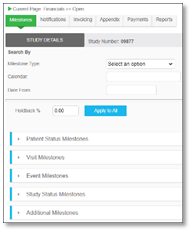
1. From the Milestone tab, use the arrows to expand the milestone section that you wish to add to.
|
Note:
|
Event and Visit milestones should be created through the calendar budget if you want the amounts / sponsor amounts to be carried over from the budget.
|
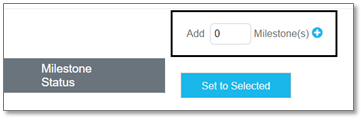
2. Add the desired number of milestone fields by using the Add field and the plus button.
|
Note:
|
Each row represents a unique milestone rule.
|
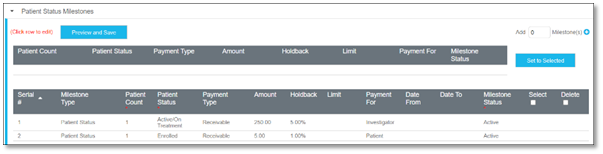
3. The input number of milestone rows will display. Use the fields to enter information as needed.
|
Note:
|
For more information about milestone configuration options see Milestones, or if you want to review an example, see Example Milestone.
|
4. Click Preview and Save to save changes.

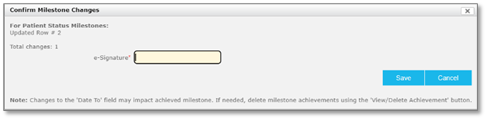
5. A notification displays asking you to confirm the milestone changes. Enter your e-Signature and click Save to confirm.
The milestone(s) are now created.